Geophone or Seismograph
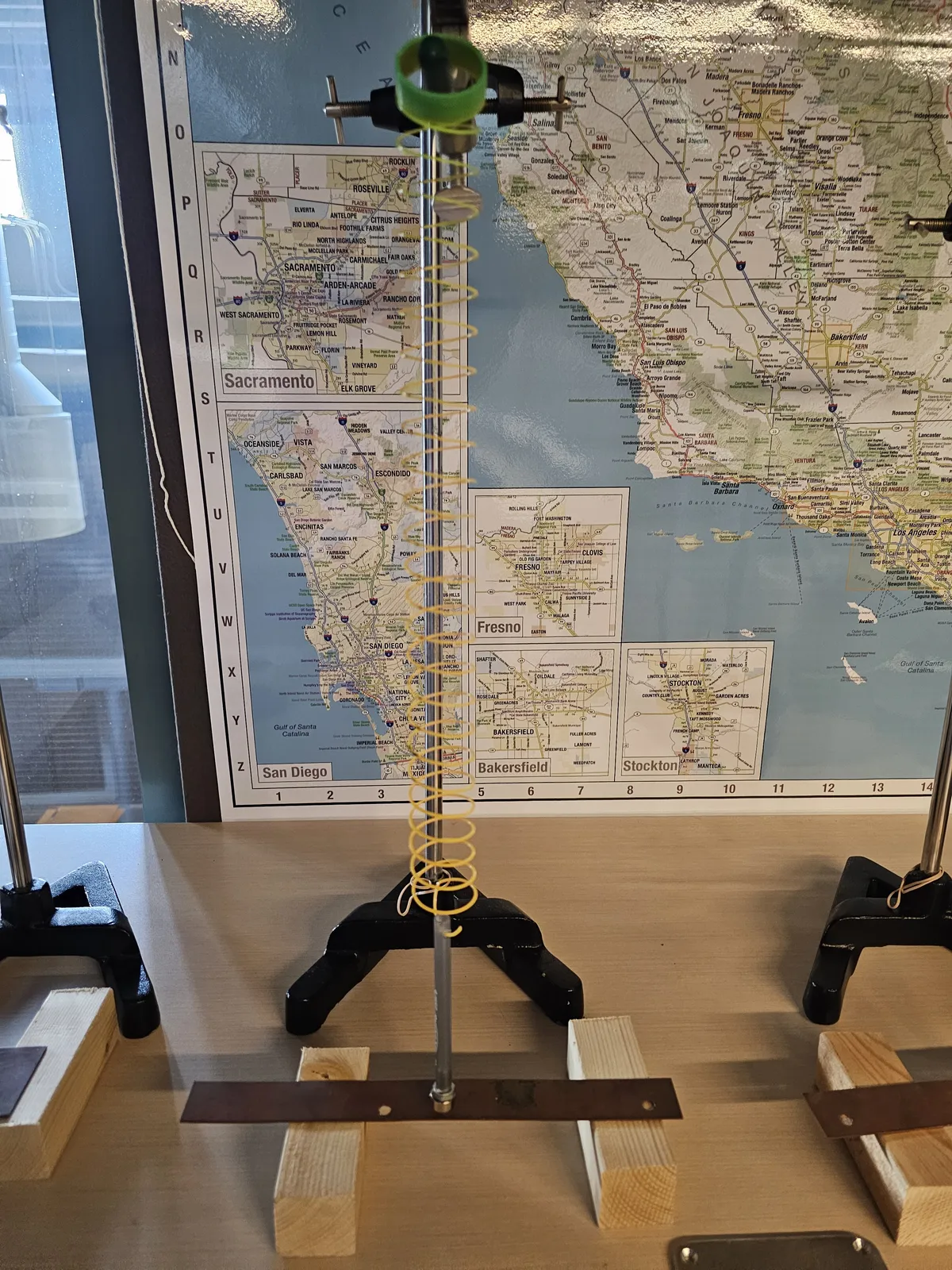
The new Raspberry Shake seismograph materials and software use a device called a geophone to measure the earth's vibration. Typically these are made by allowing a coil of wire to vibrate near a magnet. Moving a coil near a magnet generates current in the wire. By measuring the amount of current in the wire you can measure how fast the earth is moving to determine the size of the vibration.
The big problem with these is that the current in the coil is tiny, on the order of microamps, meaning that most software can't pick it up. So, we'd use an amplifier to increase the current to a level we can detect. These amplifiers aren't trivial to make or buy, and much of the price of the Raspberry Shake is the amplifier which has to be specifically tuned.
Materials
- Smartphone running Phyphox or Physics Toolbox Suite
- Ring stand and some sort of hook (I'm using a three fingered clamp, but lots of things will work.)
- Small, weak (very low spring constant) spring, like these
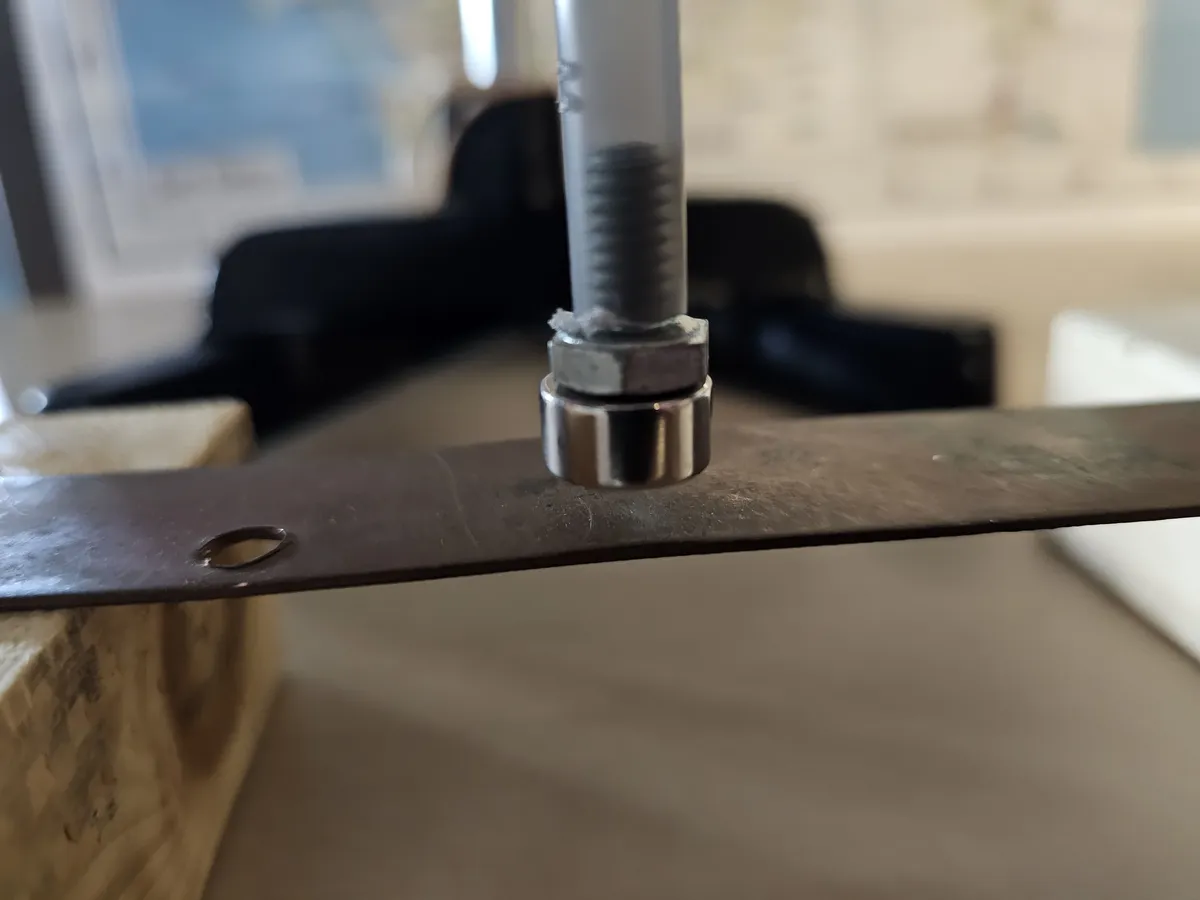
- Small tube (I used a ballpoint pin with the ink removed and the ends cut off)
- Small bolt that fits snugly in the tube. (If it doesn't fit snugly, use hot glue or similar. I'm using a 1/4 inch bolt that's 1/2 inch long.)
- Drill and small drill bit or an awl
- Couple of 1.5 inch x 1.5 inch blocks as risers
- Piece of aluminum or copper at least 1 inch x 4 inches and 1/16 inch thick
- Rare earth magnet (I'm using a 0.25 inch diameter x 0.25 inch disk, but many others will do)
Assembly
- Pull the pen apart and discard the ink.
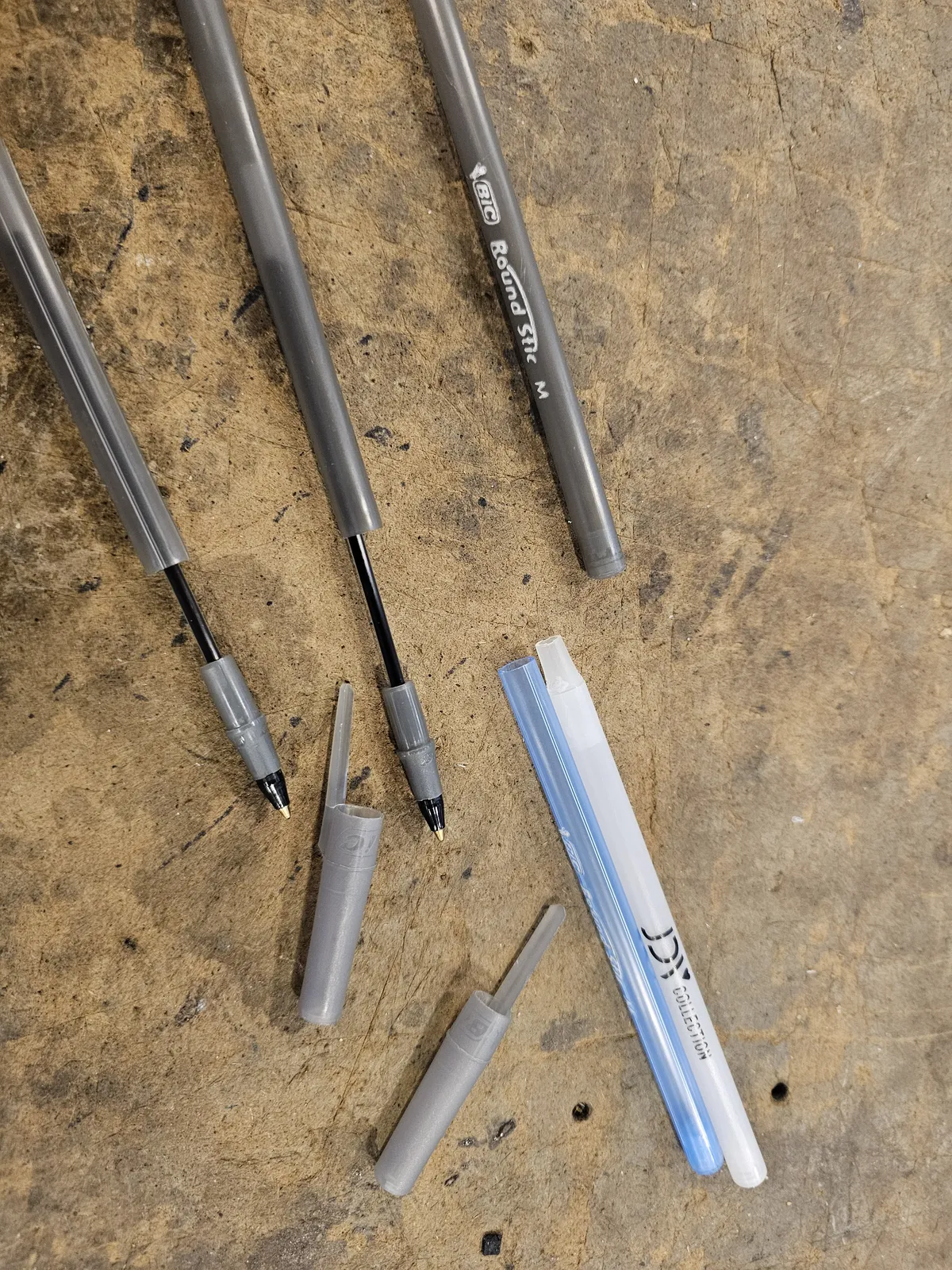
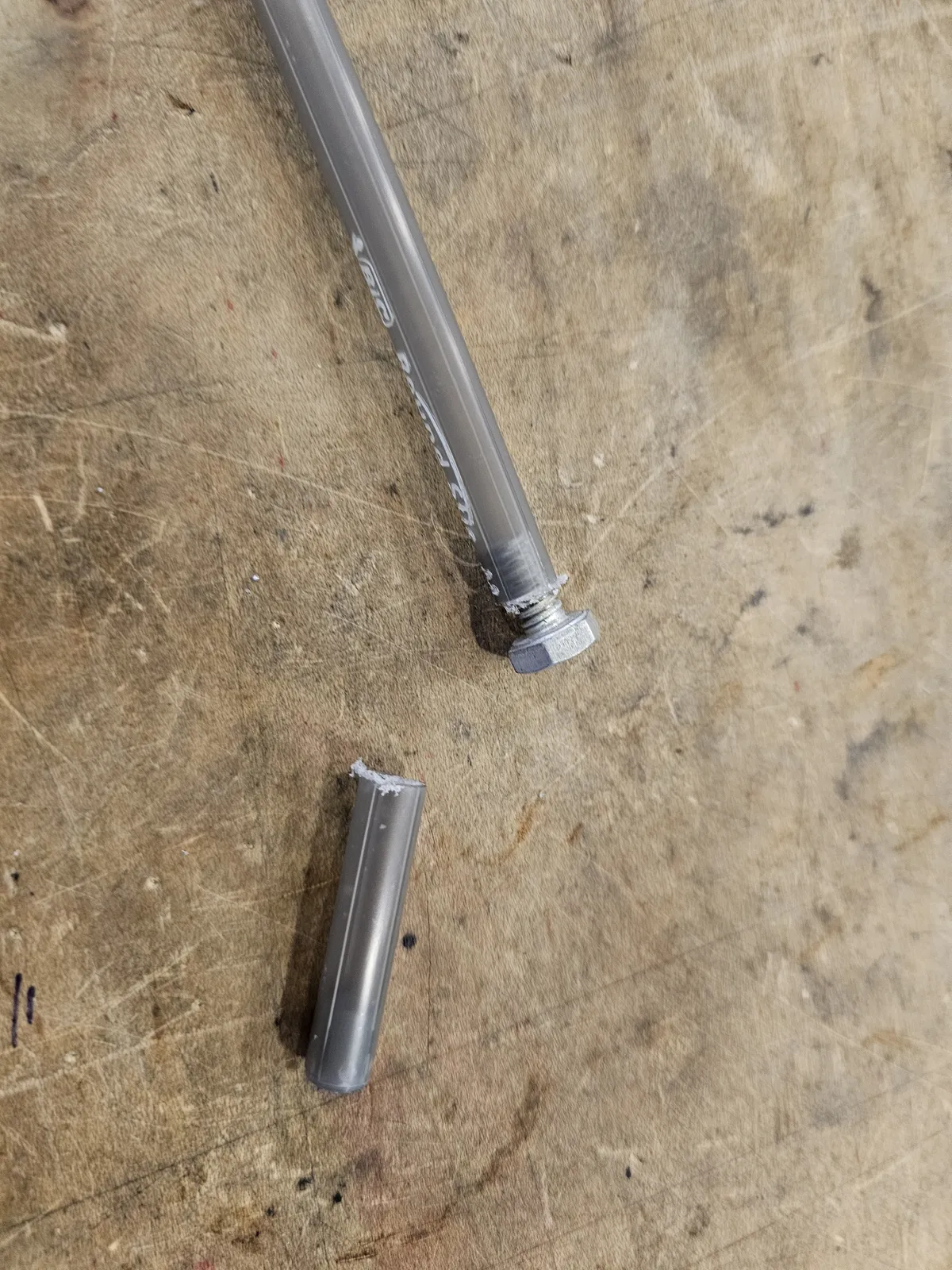
- Cut the ends off the pen with a knife, scissors, or a saw and insert the bolt.
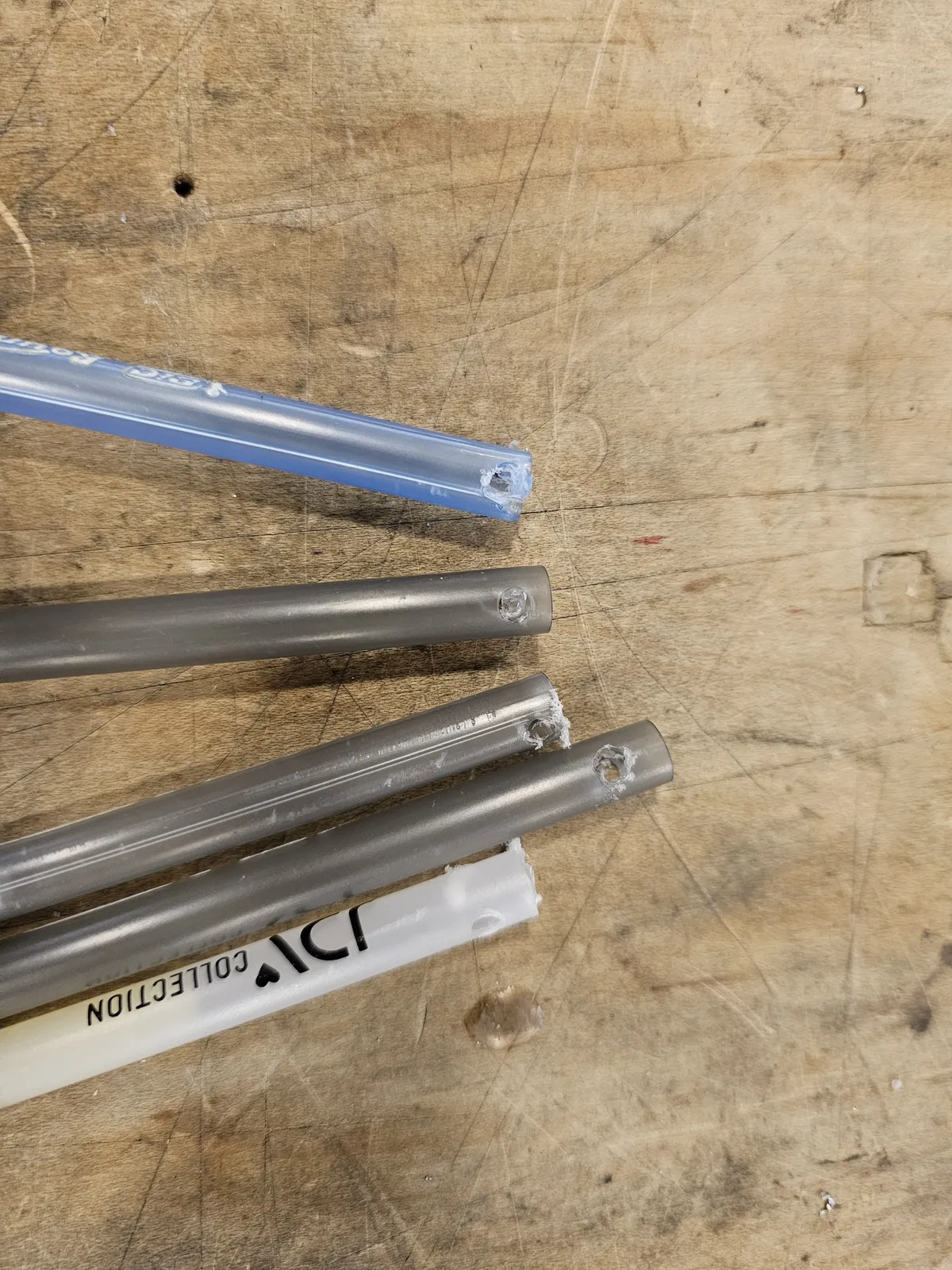
- Drill a small hole in the other end of the tube.
- Stick the magnet to the bolt.
- Attach one end of the spring through the hole on the tube.
- Set down your phone. A little past the top of your phone, place the two blocks to either side. Place the aluminum or copper strip across the two blocks.
- Attach the hook to the ring stand. Place the spring over the hook and allow to hang down. You want it the magnet to hang about 1 cm (1/2 inch) above the metal.
To See and to Notice
Start phyphox or Physics Toolbox. Select the magnetometer. And start collecting data. It will start off looking noisy, but that's just because the scale starts off very narrow.
Shove the table. You'll see a blip on the graph. Hit the table in a different way. Is the graph different?
What's Going On?
Inside your phone you have a magnetometer, which is a sensor that detects magnetic fields. In fact you have three magnetometers so that the phone can know the position of the earth's magnetic field in three dimensions. The graph is plotting those three axes on vertical axes and time on the horizontal axis.
When you shove the table, the magnetometer on your phone moves closer or farther away from the hanging magnet, which by Newton's First Law, tries to stay still. The relative change in speeds is graphed by the software.
Why the copper or aluminum? The magnet is hanging freely in space on the spring. Vibrations that get to the magnet will set it moving. We want to stop those vibrations. As the magnet moves near the aluminum, eddy currents are generated that slow the motion of the magnet.
You want the conductor close enough that it stops spare vibrations but far enough that the magnet can move at all.